YOUR HOMEWORK | YOUR TIMETABLE | YOUR INFO
Go4Schools is our online system to hold all of your academic progress data in one place. Allowing staff, students and parents to work together to Act wisely and make the most of every opportunity.
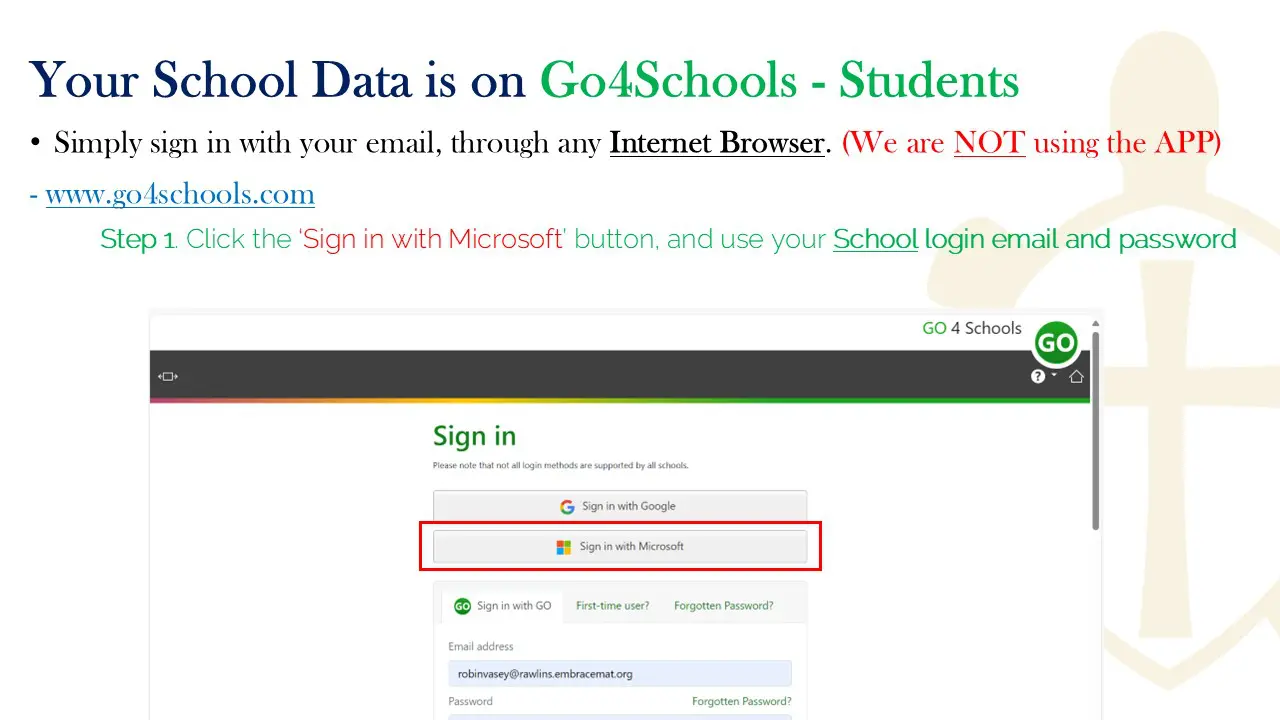
You can login to Go4schools through any web browser. We do not use the App. You should “Sign in with Microsoft” and log in with your school email and password.
To maximise the ease of use, we recommend making this link a ‘bookmark’ in your browser. Go4schools STUDENT.
Go4Schools will allow you to access your:
- Personal School Information
- Your Timetable
- Homework
- Attendance Record
- Behaviour Record
- Academic Progress in each of your subjects
Homework Reminders: You can tick off your homework when you have completed it. Your parents will receive a daily email reminder about any homework still due in the next 7 days at 4:00pm each day.
You can view your Attendance, Number of House Points and Behaviour Events and your detailed Academic Progress in each subject. This means so you know where you are doing well, and which areas you need to focus on a little more, which we know will support you to building success and focus your homework and revision.
Parents who have used this previously, highly recommend it as a brilliant way to see and support the progress of your child.
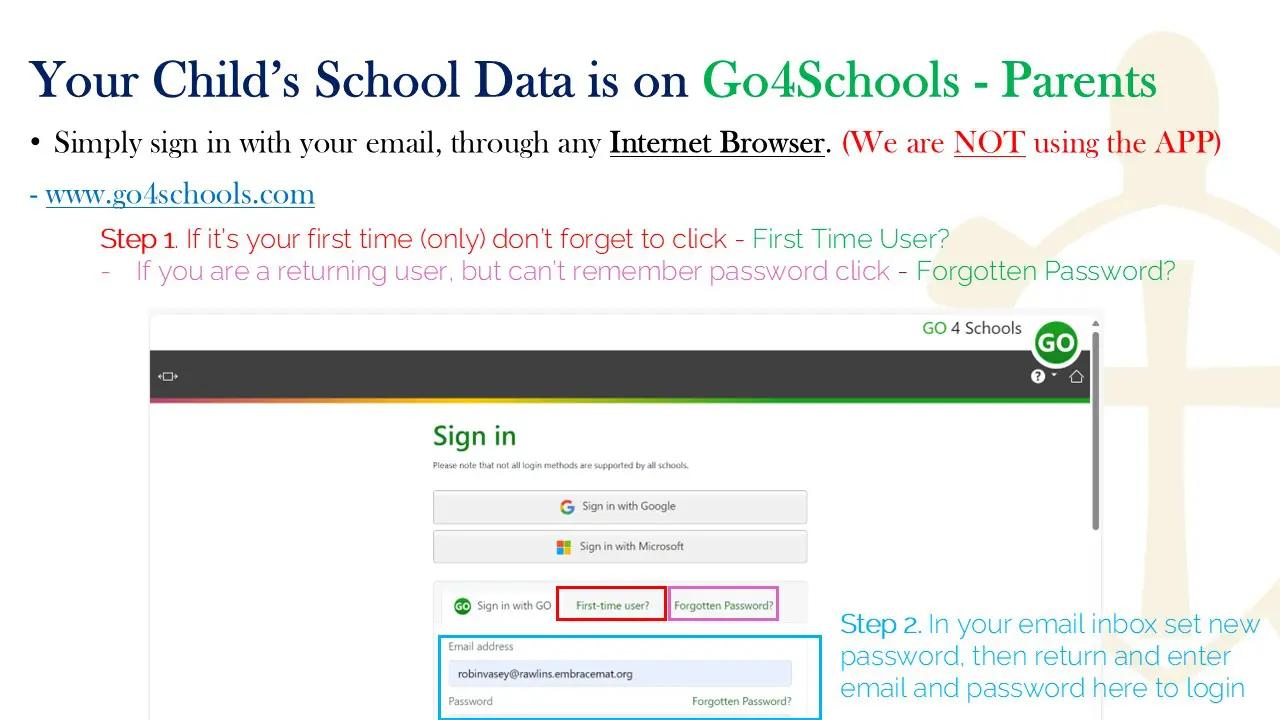
When you login into Go4schools PARENT for the first time (only), you must click ‘First Time-User’. Then type in your email address that you use for communication with school. It will immediately send you an email to set a new password. (Please check your junk email folder). Once this is set, you are ready. Simply return to the Go4schools PARENT login page and type in your email and password at any time.
To maximise the ease of use, we recommend making this link a ‘bookmark’ in your browser. Go4schools PARENT
Go4schools contains your child’s academic information all in one place:
- Their Timetable
- Homework
- Attendance Record
- Behaviour Record
- Academic Progress in each of their subjects
- Progress Reports (Published termly) See guide below
Homework Reminders: Go4schools will send you an email at 4pm every day, if your child has any homework still to do in the next 7 days. You can login to Go4schools to view it, and your child can tick them off once complete.
Behaviour Event Update: Go4schools will send you a weekly behaviour event update email at the end of every week, but you can log in to Go4schools to check or view your child’s details any time.
Remember any email address you have provided us with (This is done through the MCAS app) can then be used to set up a login to Go4Schools. This allows separated parents, or additional carers or guardians, to each have their own access to Go4Schools, as required.
Forgotten Password
If you forget your password, you can reset it by simply clicking on ‘Forgotten Password?’ on the Go4schools PARENT page.
Further written guidance for accessing Go4schools.